
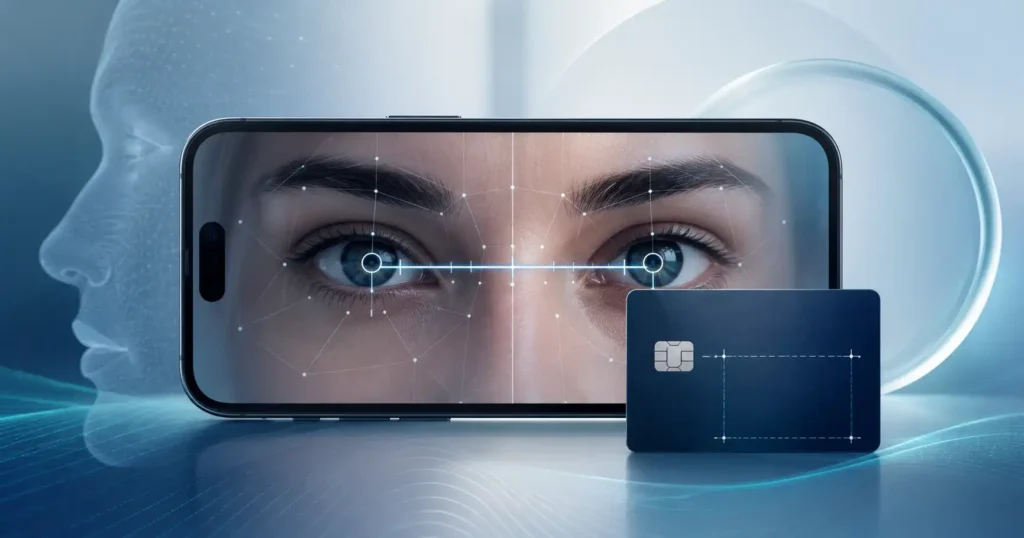
Quick answer: Yes, a phone can measure pupillary distance, but how well depends on the app type. Card-reference apps (the kind that use a credit card held to your forehead for scale) measured PD with a mean absolute error of 0.51 mm against a clinical pupillometer in a 2023 study, well within tolerance for single-vision lenses. Progressive lenses need tighter accuracy and separate left and right (monocular) values, which is where a professional tool with guided capture and optician review earns its place over a free selfie app.
App Types: A Comparison
| App Category | How It Scales | Typical Accuracy | Best For | Cost |
|---|---|---|---|---|
| Free consumer selfie apps | Facial landmarks only, no card | Variable; depends on selfie conditions | Casual use, non-critical single-vision orders | Free |
| Card-reference apps | Credit card for scale calibration | Better; ~0.5-1.0 mm MAE in studies | Online orders for single-vision lenses | Free to low cost |
| Professional/clinical tools (e.g., Optogrid) | Guided capture, card-calibrated, optician-reviewed | Built to progressive-lens tolerances | In-office or remote dispensing, progressive and high-Rx orders | Subscription |
Free selfie apps are the most convenient but also the most variable. They work by detecting facial landmarks and estimating scale from assumed face proportions, which vary person to person. The results may be close enough for single-vision, low-power prescriptions ordered online.
Card-reference apps add a physical scale marker, which addresses the largest source of error in selfie-only apps. The process takes a bit more setup but produces more consistent results. This is the category most consumer-focused apps fall into.
Professional tools are designed for clinical use, not consumer self-service. They guide capture with quality feedback, often allow an optician to initiate the measurement remotely via a patient link, and are built to meet the tighter tolerances required for progressive and high-index dispensing. Rather than replacing the optician, they extend the optician’s workflow.
For shops considering this category, the remote PD measurement model deserves attention: the optician initiates the session and reviews the results before they are used to cut lenses.
Where Accuracy Breaks Down
A 2023 comparative study in Cureus (Han et al., doi: 10.7759/cureus.42744) tested three consumer apps against a clinical digital pupillometer across 44 subjects. The Warby Parker and Eye Measure apps achieved a mean absolute error of 0.511 mm; PDCheck AR recorded 1.375 mm. The authors concluded that “the Warby Parker iPhone application was found to be the most accurate in measuring IPD” and that it “may serve as an acceptable alternative when patients are unable to receive IPD measurements from trained clinicians.”
That qualifier matters. Several conditions increase error:
- Head tilt. Even a few degrees of head rotation shifts the apparent lateral distance between pupils.
- Gaze direction. Looking slightly off-center displaces the visible pupil center from the true optical axis.
- Card placement. A credit card held too far forward or at an angle introduces scale error.
- Camera distance. Parallax error increases when the phone is held very close; most apps specify an arm’s-length distance for a reason.
- Monocular vs. binocular PD. Consumer apps often report a single binocular PD. Progressives require separate left and right (monocular) values, which some apps do not provide or measure less reliably. See monocular vs. binocular PD for a full breakdown of when each value is needed.
For single-vision prescriptions in the low-to-moderate range, a 0.5 mm error is unlikely to cause noticeable problems. For progressive addition lenses, the tolerance is tighter: the progressive corridor is typically 2 to 4 mm wide, and a 1 mm PD error can shift the optical center enough to cause distortion or discomfort. ANSI Z80.1-2020 (the US ophthalmic lens standard, which references ISO 21987) sets the prism reference point placement tolerance for progressive lenses at 1.0 mm, meaning a lab-ground lens is considered in spec with up to 1 mm of PRP displacement. In practice, opticians fitting progressives target tighter than that, generally within ±0.5 mm, because the combination of lens fabrication tolerance and measurement error compounds.
App vs. Ruler vs. Pupillometer
The pupillometer is the clinical reference, but for someone measuring at home the more useful question is how an app compares to a ruler. In trained hands a ruler is accurate: a study in Optometry and Vision Science (McMahon, Irving, and Lee, 2012) found that a trained examiner using a PD rule differed from a pupillometer by a mean of just +0.59 mm (95% limits of agreement -0.69 to +1.88 mm).
Self-measurement was a different story. When untrained participants measured their own PD with a mirror and ruler, repeatability spanned -3.61 to +4.75 mm and the limits of agreement against the pupillometer widened to -5.22 to +6.14 mm. The authors concluded that self-measurement “result in poor accuracy and poor repeatability.”
That is the gap a good card-reference app narrows: the best apps in the Cureus study landed near 0.5 mm mean absolute error, more consistent than most people manage with a ruler and a mirror, though still short of a clinician with a pupillometer.
How Phone-Based PD Measurement Works
All phone PD apps follow the same basic process: detect facial landmarks, locate the center of each pupil, and calculate the distance between them. What differs is how they establish the scale needed to convert pixels into millimeters.
Facial landmark detection. The app’s camera runs a machine-learning model that identifies key points on your face: eye corners, pupil centers, nose bridge, and other reference points. The pupil centers serve as the measurement endpoints.
Scale calibration. Without a physical reference of known size in the frame, the app cannot convert a pixel distance into millimeters. Consumer apps handle this in one of two ways:
- A credit card or government ID held to your forehead. Standard ISO/IEC 7810 ID-1 cards measure exactly 85.60 mm x 53.98 mm, giving the algorithm a reliable scale reference.
- Depth sensors (LiDAR or structured light). Some newer phones include sensors that measure true 3D distance, removing the need for a card reference entirely.
Quality checks. Better apps measure repeatedly and flag results where head tilt, gaze direction, or lighting fall outside acceptable thresholds. Apps that accept any capture regardless of quality produce more variable results.
How to Measure Your PD With a Phone App
These steps apply to card-reference apps, which give the most consistent consumer results:
- Choose a card-reference app. Select an app that requires a credit card or ID card for scale calibration.
- Prepare your space. Stand in a well-lit area facing a natural light source. Avoid overhead lighting that casts shadows across your face.
- Remove your glasses if you wear them.
- Hold a credit card to your forehead. Press it flat against your forehead, centered, with the full card visible in the camera frame.
- Hold the phone at arm’s length. Most apps specify 30 to 40 cm. Keep your eyes level with the camera and look straight into the lens.
- Follow the app’s alignment guides. Do not tilt your head. Keep your gaze directed at the camera, not at your own image on screen.
- Capture multiple times. Take at least three readings and use the median or average. Discard any outliers more than 1 mm from the others. As a rough sanity check, compare your final number against typical adult PD values; a result well outside the normal range usually points to a capture error rather than an unusual PD.
- Record both monocular values if the app provides them. If you are ordering progressive lenses, monocular PD (left and right separately) is more reliable than a single binocular number.
One practical note: if you already have a recent PD from an earlier pair of glasses, you may not need to remeasure at all. Pupillary distance changes very little in adults and mostly shifts during childhood as the face grows, so a value from the last few years usually still applies.
If you prefer not to use an app at all, you can measure your PD with a ruler instead, or measure PD from a photo using a photo-based optical measurement service. A comparison of the main measurement approaches is in the 4 PD measurement methods guide.
Do Opticians Use PD Apps?
Most practicing opticians still rely on a digital pupillometer for in-office fitting, particularly for progressive and high-index prescriptions. The pupillometer measures from the patient’s actual viewing position and can capture gaze angle and vertex distance directly.
Phone-based tools are gaining adoption in two specific workflows. The first is remote dispensing: a shop sends a patient link to a customer at home, the customer captures their own measurements under the app’s guided protocol, and the optician reviews the data before ordering. The second is pre-screening: quick phone measurements help identify whether a patient’s PD is near standard or will require special attention during the in-person visit.
For a deeper look at how optical shops are integrating phone-based capture into daily workflows, the digital PD ruler overview covers both the technology and current adoption patterns.
Optogrid for Optical Professionals
Optogrid is a professional phone and tablet app built for opticians and optical shops. It captures PD and segment height (SH) from a single guided photo using a standard card reference and returns measurements formatted for lab orders.
The key workflow difference from consumer apps: the optician controls the session. A patient link can be sent to the patient’s phone so they capture their own image at home, but the measurements are reviewed and approved by the optician before any order is placed. This keeps clinical oversight in the process while extending the shop’s reach to remote patients.
Optogrid is not designed as a consumer self-service tool. It is a professional measurement platform, which means it is appropriate to mention in the context of what optical shops actually use, not as a recommendation for someone ordering glasses at home.
Learn more about the patient links feature for remote PD capture.
Frequently Asked Questions
Are PD apps accurate enough for glasses?
For single-vision, low-to-moderate prescriptions, well-designed card-reference apps can measure PD with a mean absolute error around 0.5 mm, which falls within accepted clinical tolerance. A 2023 Cureus study found that the best-performing consumer app achieved 0.511 mm MAE against a clinical pupillometer. That said, accuracy depends heavily on following the app’s instructions precisely; poor lighting, head tilt, or an angled card can all introduce larger errors.
What is the best app to measure PD?
No single app is best for everyone. For consumers ordering single-vision glasses online, a card-reference app (one that uses a credit card against your forehead for scale) will produce more consistent results than a selfie-only app. For optical professionals, a clinically designed tool that includes quality validation and optician review is appropriate for progressive and high-index dispensing.
Can I measure PD without an app?
Yes. An optician can measure your PD with a pupillometer during a routine exam, and most will do so on request. You can also ask your optician to include PD on your printed prescription. If you need to self-measure without an app, a digital PD ruler used with a mirror is another option, though it requires care to avoid parallax error.
Is a free PD app good enough for progressive lenses?
Probably not as your only measurement. Progressive addition lenses require both monocular PD values (left and right eye separately) and tighter accuracy than single-vision lenses. Most free consumer apps report only a single binocular PD, and the tolerance for error in progressive fitting is around ±0.5 mm. An in-office pupillometer measurement or a professionally guided phone capture with optician review is a safer choice for progressive orders.
Do opticians use phone apps to measure PD?
Some do, particularly for remote dispensing workflows. A growing number of optical shops use phone-based tools to capture PD from patients who cannot come into the office, or to pre-screen measurements before a fitting appointment. The clinical standard for in-office progressive fitting remains the pupillometer, but phone capture under professional supervision is an accepted part of the workflow for certain scenarios.
What causes errors in phone PD measurements?
The main error sources are: head tilt during capture, gaze direction (looking at your own image instead of the camera lens), incorrect card placement (not held flat or too far forward), inconsistent camera distance, and poor lighting. Apps that provide clear alignment guides and require multiple captures filter out the most common errors.

I grew up inside an optical shop. My mother likes to tell how, as a kid, I would watch eyeglasses being assembled, play with the tools, and draw on the back of service order slips. The family business taught me early what a precise measurement and work done right are worth.
I went on to spend more than twenty years as a software engineer, always keeping an eye on the optical world. Optogrid was born where the two meet: digital measurement technology (pupillary distance and fitting heights) built by someone who knows the dispensing counter from the inside.