
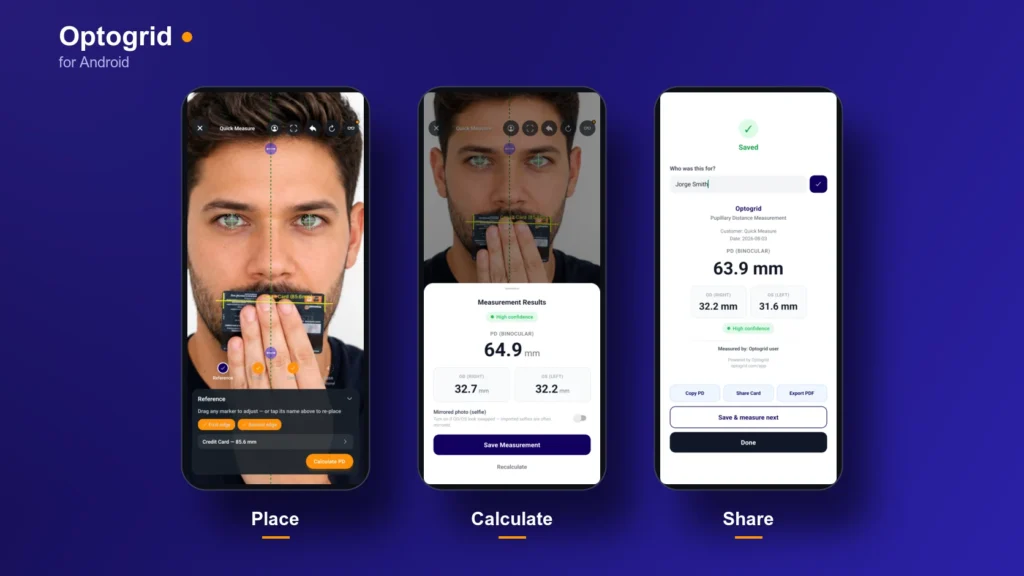
The Optogrid app is live on Google Play. It runs the same photo-based measurement workflow as the browser version, on the device that already has a camera in it. Android is available today. The iOS version is in progress.
If you have not measured with Optogrid before, the step-by-step walkthrough covers the method, and the fitting height calculator covers the arithmetic behind segment height.
How a Measurement Works
The sequence is the one you already know from the browser:
- Add a photo. Shoot it with the in-app camera or pick one from the gallery.
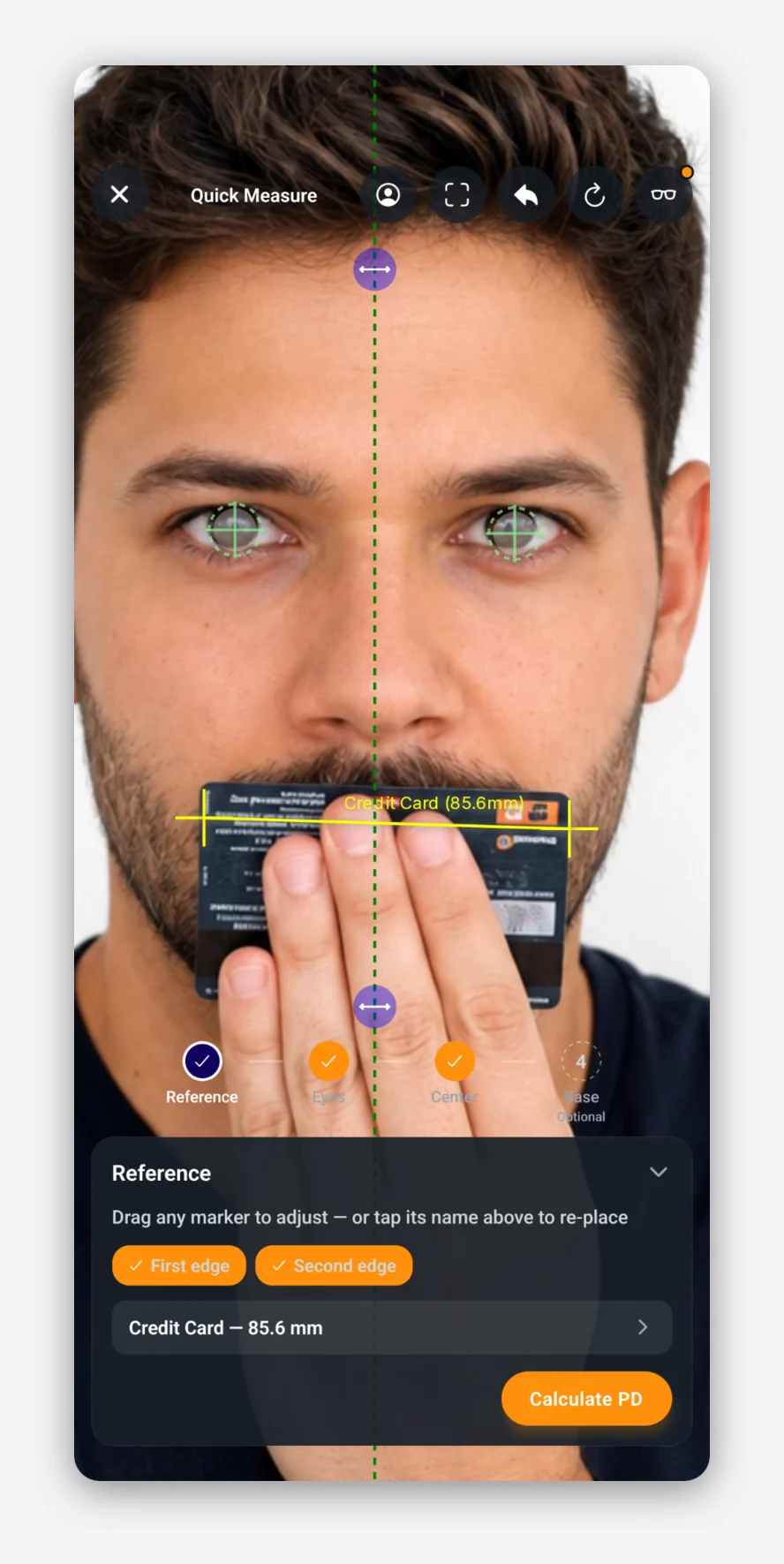
- Set the reference. Mark two points on an object of known width in the photo. That is what converts pixels into millimeters, so every number downstream depends on it. Custom references let you save the card or frame you reach for every day.
- Mark the pupils. The app runs face detection when you add the photo and pre-places the eye markers. A banner tells you they were detected, so you know to check them rather than trust them.
- Mark the center and the base line. If the patient is wearing frames in the photo, mark the two bridge edges instead and the center line is computed for you.
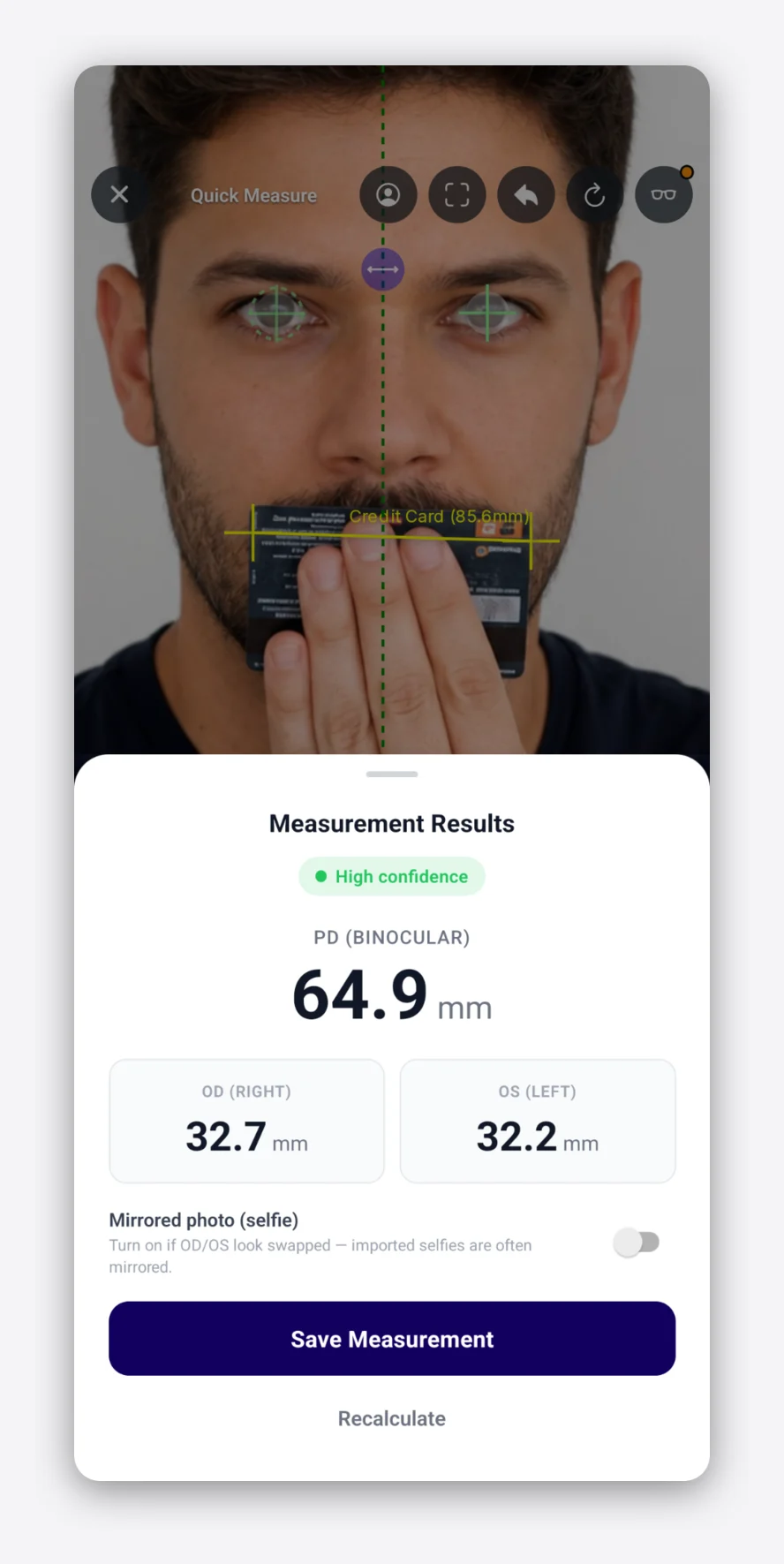
Tap Calculate and you get binocular PD, monocular PD for each eye, and segment height per eye once the base line is placed.
Placement Rebuilt for Fingers
A crosshair on a phone sits under your fingertip, which is the one place you cannot see it. Three changes deal with that.
Hold to aim. Press and hold for about 150 ms and a magnifier opens with a crosshair that tracks your finger. The marker lands where you lift off. A quick tap still places instantly.
Grab the crosshair itself. Markers are dragged by the crosshair, not by a handle sitting below it. Center and base lines can be grabbed anywhere along their length.
Zoom to face. A header button frames the markers you have placed, extended down far enough to include a reference card held at the mouth. The photo never moves on its own, only when you ask it to.
If a marker lands somewhere awkward, the step card lists the current step’s markers as pills. Tap one to redo just that marker without restarting the sequence or disturbing the others.
Frame Fit and the Numbers That Follow
Pick a frame to overlay on the photo, tap where it rests on the nose, and fine-tune the angle. With the overlay active, the app reports per eye:
- Fitting height
- Horizontal and vertical decentration
- Minimum blank size
These are the numbers you would otherwise work out by hand from the boxing dimensions once the frame is chosen. Measuring fitting height without the frame in hand covers when this matters for remote and online sales.
Measurements Survive a Bad Connection
Back rooms and trade show floors have unreliable wifi. When the app cannot reach the server, the measurement and its photo are saved on the device and queued instead of lost. A status badge shows what is waiting, and the queue syncs once you are back online. Signing out warns you first if anything is still unsynced.
Records, Not Loose Numbers
Measurements attach to a patient record with the photo and the history, the same records as your web account.
For a walk-in you have not entered yet, Quick Measure goes straight to the camera. Afterward you assign the result to an existing patient, create a new one, or leave it unassigned and sort it out later.
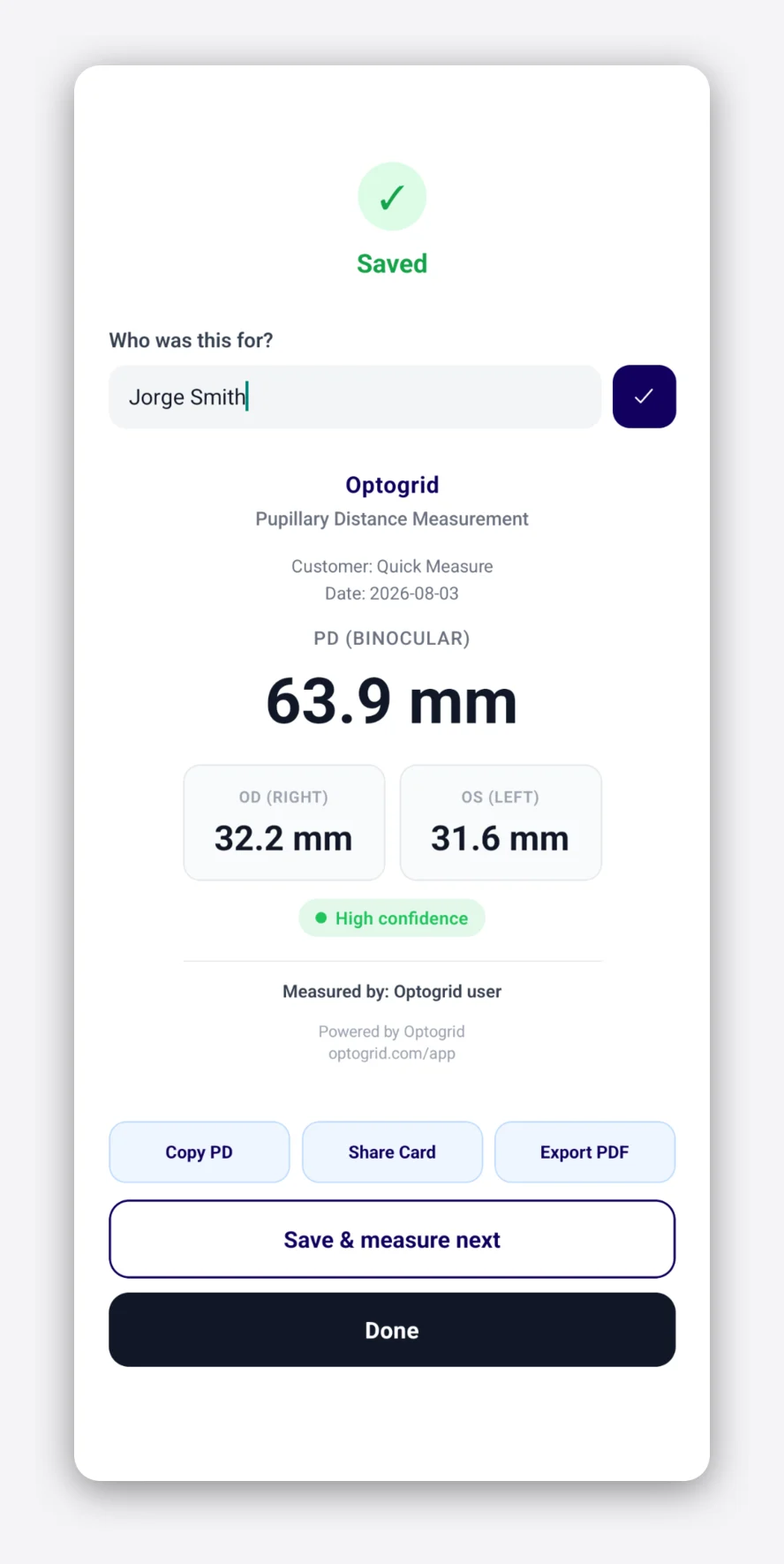
To hand results off, the result screen gives you copy PD, a branded share card, and PDF export.
What You Need
An Android phone or tablet and an Optogrid account, which you can create in the app. The interface is available in English, Portuguese and Spanish, and follows your device language.
iOS
The iOS version is in progress. It is the same codebase as Android, so it will arrive with the same measurement flow.
Get the App
No account yet? Start free and sign in on the phone with the same credentials.

I grew up inside an optical shop. My mother likes to tell how, as a kid, I would watch eyeglasses being assembled, play with the tools, and draw on the back of service order slips. The family business taught me early what a precise measurement and work done right are worth.
I went on to spend more than twenty years as a software engineer, always keeping an eye on the optical world. Optogrid was born where the two meet: digital measurement technology (pupillary distance and fitting heights) built by someone who knows the dispensing counter from the inside.